Remapify Portal System
A file service portal for tuning businesses, under your own brand.
Your customers sign in on your domain, see your logo and pay into your own Stripe account. Every portal has its own database. We host it, keep it up to date and look after security.
Your brand, not ours
The portal is built to run under your name. Your customers deal with your business, not with Remapify.
- Runs on your own domain, with your name, logo and colour.
- Its own database, used by no one else: your customers, jobs, files and payments stay separate from every other portal.
- Card payments go straight into your own Stripe account, in your currency, and the invoices are yours.
- You set your own prices in credits, for every solution and option.
What your customers get
- Upload a read, pick the vehicle and the solutions they want, and see the price in credits before they order.
- Buy credits by card and download their invoices.
- A chat on every job, with attachments, and support tickets for everything else.
- Live updates and email notifications when a file is ready.
- Two-factor sign-in on every account, and a download limit on every delivered file.
What you run it with
- A job queue that opens on what needs you, sorted by how soon each customer needs the file.
- New accounts wait for your approval, and EU businesses with a valid VAT number can be approved automatically.
- Quotes for custom work, accepted and paid before you start.
- Refunds in credits, download resets, and replacing a delivered file.
- EU VAT handled per customer: reverse charge for businesses, the customer's own rate for consumers.
- Monthly subscription plans with a file allowance, if you want to sell them.
- Revenue and job figures at a glance.
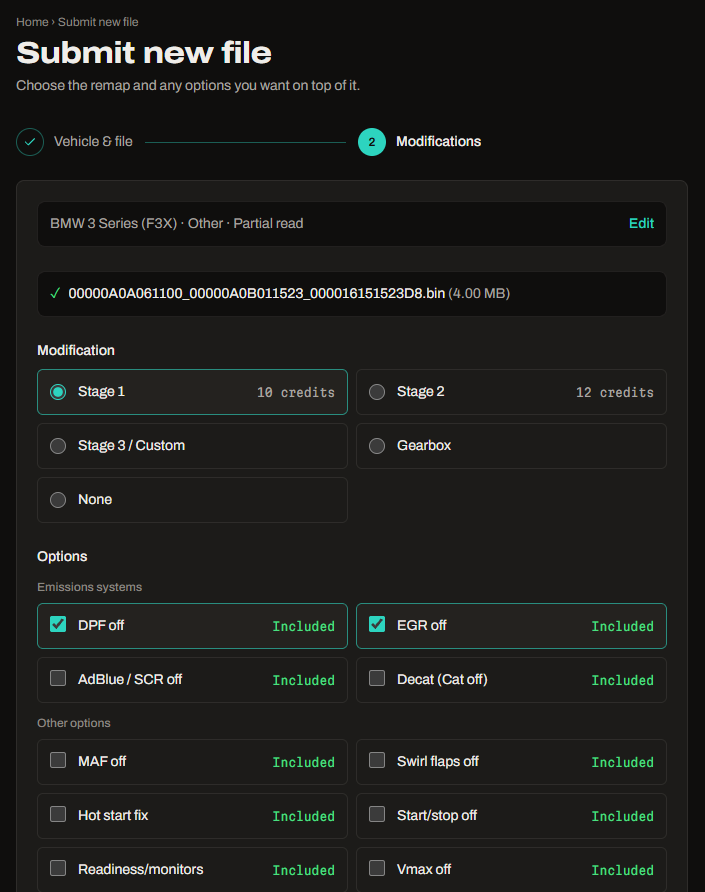
The customer picks the remap and options and sees each price in credits. 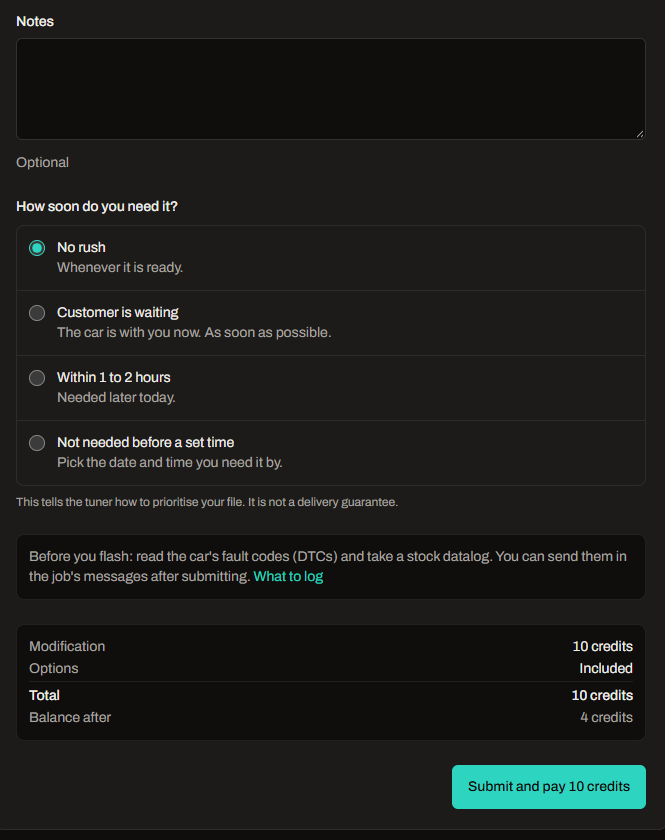
They say how soon they need it and see the total before they pay. 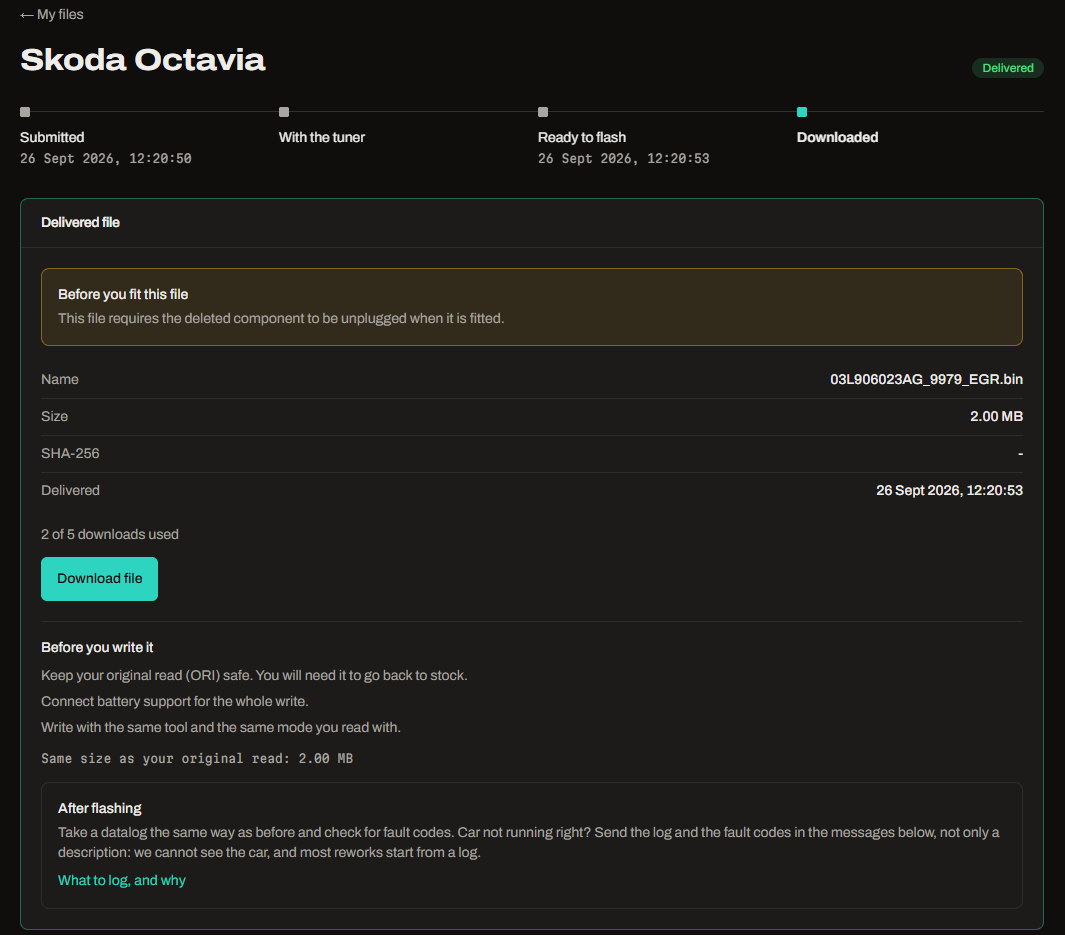
The delivered file, with a download limit and writing notes. 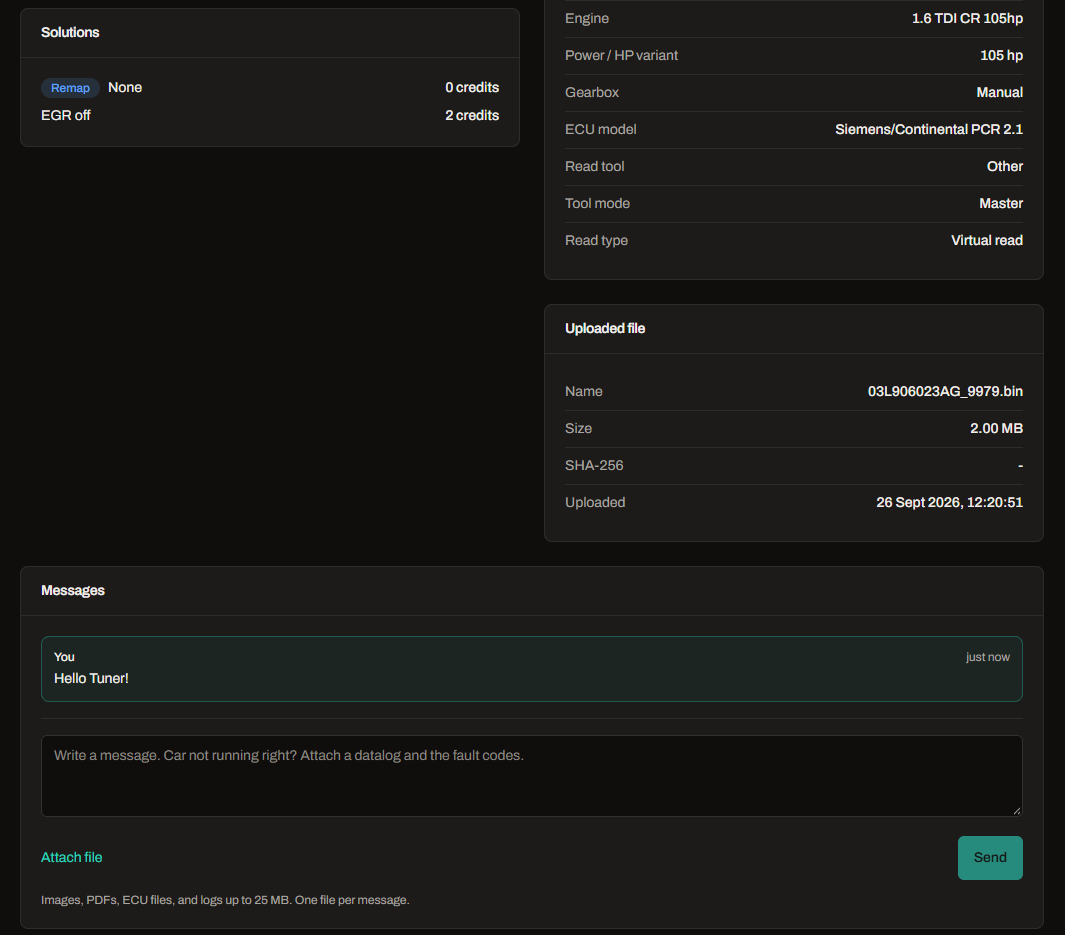
Every job has its own messages, with attachments.
Add-ons
Switch on what you need. Each one can be turned off again from your admin panel.
Auto Data
Our engine database inside your portal: 10,000+ engines, with stock and tuned figures, ECUs and read tools.
Your customers pick their exact engine when they order, and the order form fills in the vehicle for them.
Autotune
Connect your own WinOLS project library. When a customer's read is an exact match for an original in your library, the portal re-applies your own work, checks the result and delivers the file automatically, or holds it for your approval.
Matching and delivery run on our servers, so they need no WinOLS license and no computer of yours switched on. Your computer is only needed when you add new projects to the library.
Prefer WinOLS LUA automation instead? We can set that up for you.
Mappack finder
Customers upload a read and get a matching map pack from your own library, as a WinOLS KP, CSV or TunerPro XDF.
Reads no pack fits come to you as requests, so you know which packs to build next.
Mappack converter
Converts WinOLS KP, WinOLS CSV and TunerPro XDF in either direction, including packs that open in WinOLS 2.24.
You choose how many free conversions a day each customer gets and the price after that.
How it works
- 01
Book a demo
We show you the portal with test data and talk through how you work and which add-ons you need.
- 02
We set it up
We create your portal, its database and your domain, and connect your Stripe account. You set your prices.
- 03
You go live
Invite your customers. We keep the portal running and updated.
Questions
Will my customers see the Remapify name?
No. Your portal carries your name, logo and colour on your own domain, and your customers sign in, order and pay there.
Who owns the data?
Your portal has a database of its own. Your customers, jobs, files and payments are kept there and are not shared with any other portal, and card payments go into your own Stripe account.
Do I need my own website?
No. The portal works on its own on your domain, or next to the website you already have.
Which tools and files does it take?
Master reads from any tool, including Autotuner, KESS3, KTAG, MPPS, CMD Flash, Trasdata / New Trasdata, Dimsport New Genius, FoxFlash, PCMFlash, Magic Motorsport Flex. Slave tool reads can be accepted from customers you have linked. The portal does not decrypt or re-encrypt slave files.
Is the portal translated?
The customer portal is in English today.
What does it cost?
It depends on the add-ons you choose. We give you a price after the demo.
Book a free demo
Tell us a little about your business and we will reply by email to arrange a time.
Prefer email? Write to info@remapify.net